
Environment variables and Docker secrets, managed
Variables are hidden until you ask to see them, and secrets are write-only: Docker holds the value, mounted as a file in the container, and Provelox never shows it again.
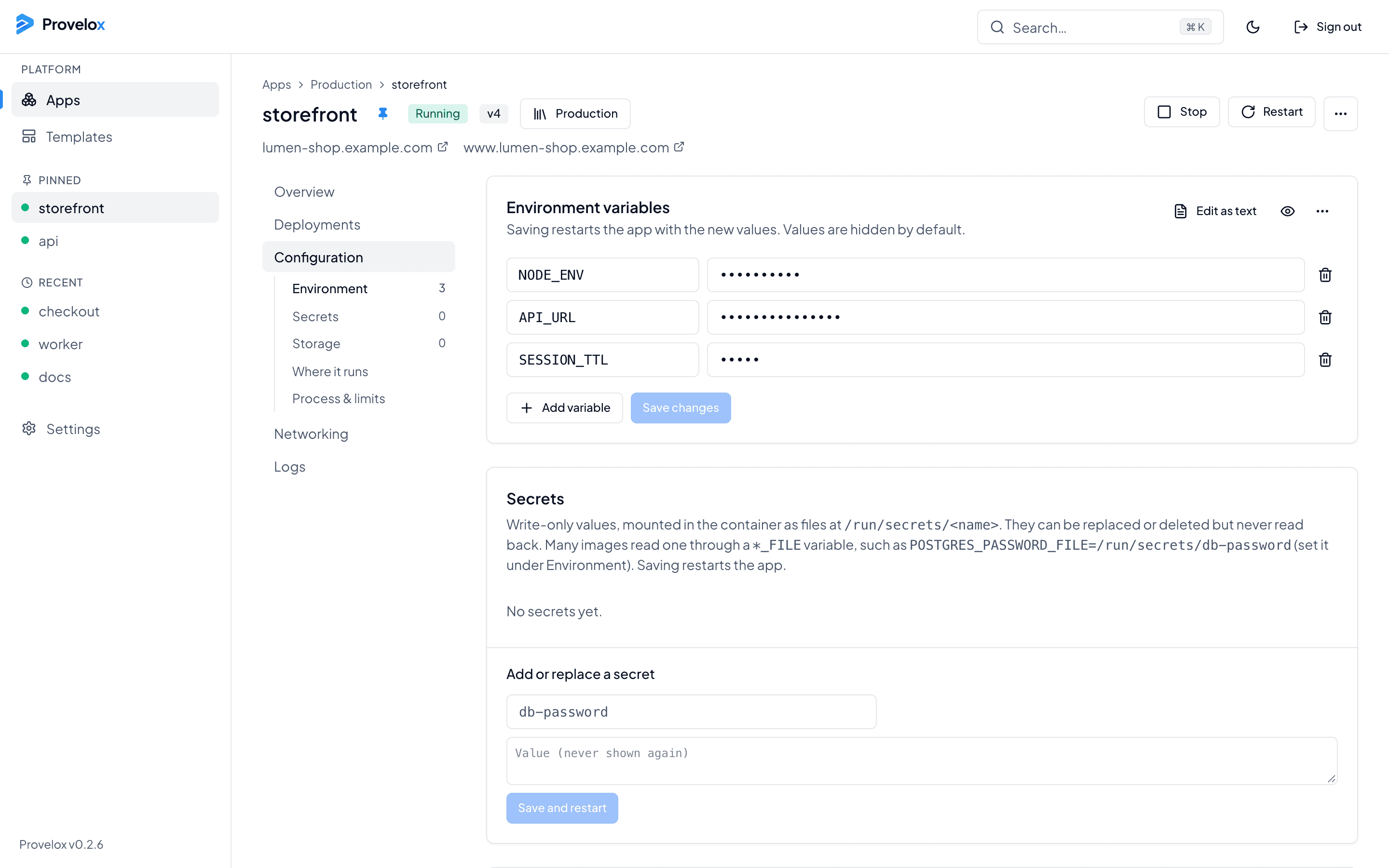
Variables, as a list or as text
Edit variables one by one, or switch to a text view to paste a block. Import a .env file, or copy the app’s variables out as one. Values are hidden by default, and saving restarts the app with the new ones.
Secrets that stay secret
A secret is a Docker secret, mounted in the container as a file under /run/secrets. It can be replaced or deleted, but never read back. Many images read a password from a file through a variable ending in _FILE, such as POSTGRES_PASSWORD_FILE.
Storage and limits, next to them
The same page holds the app’s volumes, where it runs, and its resource limits, so the whole configuration is in one place and changes are saved together.
Questions about this
- Can I see a secret after I save it?
- No, by design. You can replace it or delete it. Provelox passes the value to Docker and does not keep it.
- How does my app read a secret?
- As a file at /run/secrets/<name>. If the image supports it, point a variable ending in _FILE at that path.